The simplest way to install a security camera in Melbourne is to choose a wireless model for a fast, no-drilling setup, or a wired PoE system with an NVR for continuous, reliable recording. Mount cameras 2.4–3 metres high, angled at entry points, and always check Victoria’s surveillance laws before you switch it on.
Getting Security Right Without the Guesswork
Whether you’re protecting a house in the eastern suburbs or a small retail shop in the CBD, installing a security camera system doesn’t need to be complicated. What trips people up isn’t the drilling or the wiring it’s not knowing which camera type suits their property, what a fair local price looks like, and where the legal lines actually sit.
This guide walks through the practical side of CCTV installation for both homes and businesses in Melbourne, plus the one area most guides skip entirely: what Victorian law actually allows a camera to see.
What Counts as a “Security Camera System” in 2026
A modern security camera setup usually includes one or more cameras, a way to store footage (either an NVR/DVR or the cloud), and an app or monitor for viewing live and recorded video. Depending on the brand, it may also tie into an alarm, intercom, or access control system.
Popular brands installed across Melbourne homes and businesses include Hikvision, Dahua, Uniview, and Swann. Hikvision is often the preferred choice for business installations because of its stronger analytics and software, while Uniview is a common pick for homes thanks to its low-light performance and simple mobile app.
Wired vs Wireless: Which One Actually Suits You
This is the first real decision, and it shapes everything else about the install.
| Factor | Wired (PoE + NVR) | Wireless (Wi-Fi/Battery) |
|---|---|---|
| Best for | Businesses, full property coverage | Renters, single rooms, quick setups |
| Recording style | Continuous 24/7 | Motion-triggered clips |
| Reliability | Not dependent on Wi-Fi strength | Needs a strong, stable connection |
| Setup effort | Higher — cabling and mounting | Low — mount and pair via app |
| Ongoing cost | Usually no subscription | Cloud storage may need a monthly plan |
If your property already has good Wi-Fi coverage and you just want to keep an eye on the front door, wireless is genuinely enough. If you’re running a shop, warehouse, or office and need footage that holds up for insurance or an investigation, wired is the safer long-term choice.
Step-by-Step: How to Install a Security Camera
1. Walk the Property First
Before buying anything, walk the site and note every entry point, blind spot, and high-value area front door, driveway, till, stockroom, loading dock.
2. Match the Camera to the Location
Use bullet or dome cameras for entrances and driveways, and a wider-angle or PTZ camera for open areas like a warehouse floor or car park.
3. Decide on Storage
Choose local storage (NVR/DVR with a hard drive) for full control with no ongoing fees, or cloud storage if you want off-site backup and remote access from anywhere.
4. Mount at the Right Height and Angle
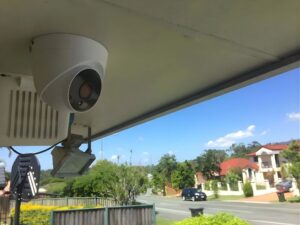
Cameras generally work best at 2.4–3 metres (roughly 8–10 feet) high, angled slightly downward. Too high and you lose facial detail; too low and the camera is easy to tamper with.
5. Connect Power and Network
For wired systems, run a PoE cable from each camera back to the NVR. For wireless systems, pair each camera to your home or business Wi-Fi through the manufacturer’s app.
6. Set Motion Zones and Notifications
Define which parts of the frame should trigger an alert this cuts down on false notifications from passing cars or trees.
7. Test Before You Finish
Check day and night footage quality, motion accuracy, and remote viewing on your phone before calling the job done.
Where to Place Cameras (Home and Business)
| Location | Recommended Camera | Placement Notes |
|---|---|---|
| Front door | Doorbell or bullet camera | Angled to capture the walkway, not just the step |
| Driveway | Bullet camera | Wide-angle lens, high mount |
| Backyard | Bullet or PTZ | Cover the fence line, not the neighbour’s yard |
| Shop counter | Dome camera | Clear, unobstructed view of the register |
| Warehouse | PTZ camera | Centred for full-room coverage |
| Car park | Bullet or PTZ with IR night vision | Covers entry and exit lanes |
Is It Legal? What Victorian Law Actually Says
This is the part most installation guides skip and it’s the part that matters most once cameras are actually recording.
In Victoria, camera use is governed by the Surveillance Devices Act 1999. You’re free to record activity on your own property, but the camera shouldn’t capture a neighbour’s yard, window, or a shared walkway without their knowledge. An angle that’s “just a bit too wide” is the most common way homeowners accidentally step over this line.
Audio is the bigger risk. Recording a private conversation without consent even accidentally through a camera’s built-in microphone can fall foul of the Act. The safest approach for most home and business systems is to keep audio switched off unless there’s a clear, lawful reason to use it.
For businesses, there’s an added layer: staff need to be told that cameras are in use, typically through signage or a written workplace policy, and footage that identifies customers or employees may count as personal information under the Privacy Act 1988 and the Australian Privacy Principles. Cameras should never be placed in bathrooms, change rooms, or break rooms, regardless of intent.
None of this is registration-heavy there’s no legal requirement to register a private camera in Victoria, though Victoria Police does run a voluntary CCTV registry that can help police contact you if your footage might assist an investigation nearby.
DIY or Call a Professional?
Wireless kits are genuinely built for self-installation most homeowners have a 2–4 camera system running within a couple of hours. Wired systems are a different story: cabling through walls, ceiling access, and getting the NVR set up correctly is where most DIY attempts stall.
- Go DIY if: you’re covering a home with 2–6 wireless cameras and have decent Wi-Fi coverage
- Call a professional if: you’re running a business, need continuous wired recording, or want a clean cabling job with a warranty attached
Local Melbourne installers commonly quote from around $150 per camera, or roughly $650 for a complete 4-camera system with an NVR/DVR installed though this is always subject to a site inspection, since cable runs and access can change the job significantly. It’s worth getting two or three quotes, since pricing varies a fair bit between installers and franchise groups.
When comparing installers, look for ones that mention licensing as a Security Equipment Installer or Registered Cabler, and certification through ACMA these are the credentials that separate a proper install from a weekend side-job.
Common Mistakes That Undo a Good Setup
- Pointing a camera directly into morning or afternoon sun, which washes out the footage
- Mounting too high or too low, losing facial detail either way
- Relying on weak Wi-Fi for a wireless camera and getting dropped feeds
- Skipping a proper night-vision test before finishing the job
- Leaving the NVR/DVR itself exposed, where it can be stolen along with the footage
- Accidentally capturing a neighbour’s property or a shared hallway
Home vs Business: The Practical Differences
| Factor | Home | Business |
|---|---|---|
| Typical camera count | 2–6 | 4–16+ |
| Storage length | 7–14 days | Often 30–90 days for insurance purposes |
| Compliance load | Minimal | Signage, staff notice, data handling |
| Recommended setup | Wireless kit | Wired NVR system |
Putting It All Together
A good security camera install isn’t about buying the most expensive kit it’s about matching the right camera type to the right spot, mounting it properly, and understanding the handful of legal boundaries that apply in Victoria. Get those three things right, and the system will do its job quietly in the background for years.